Signing up creates your team and makes you its Account Owner. The team starts a 7-day free trial with full access to the app, and no card is needed until you subscribe.
Your team
Everything you create (projects, data, scripts) belongs to the team, and billing is per team. To edit the team’s name, contact details or address, click your name at the bottom of the left sidebar, choose Settings, then open Company Information.
Check your trial
Settings → Billing shows how much of the trial is left, for example “Free trial ends in 7 days.”
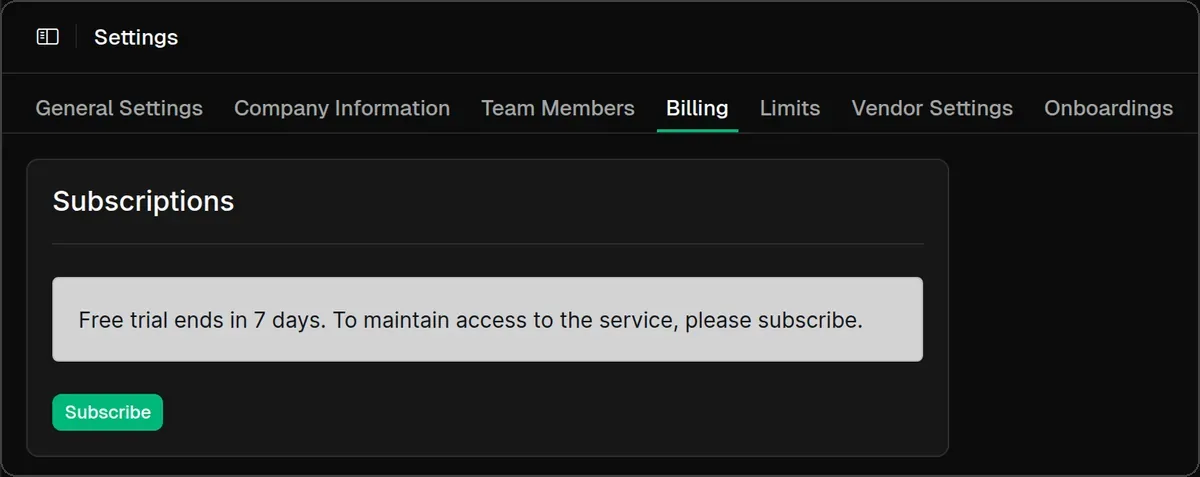
Subscribe
The Account Owner clicks Subscribe and pays by card in Stripe’s secure checkout. You pay per seat: checkout starts at the number of members who have a seat, and you can add more there. You then return to Billing and see “You have successfully subscribed. Thank you!”
After you subscribe, Billing shows your subscription, plus Add Storage, Add Compute Credits and Billing Details. Billing Details opens Stripe’s portal, where you manage cards and invoices. Other members don’t see the Subscribe button. Instead they’re asked to contact their Account Owner.
When the trial ends
Billing reads “Free trial expired … ago”, and every other page redirects to Billing until the Account Owner subscribes.
Usage limits
Settings → Limits shows how much storage, compute credits and AI credits your team has used against its allowance. During the trial that allowance is 500 GB of storage, 200 compute credits and 200 AI credits.
